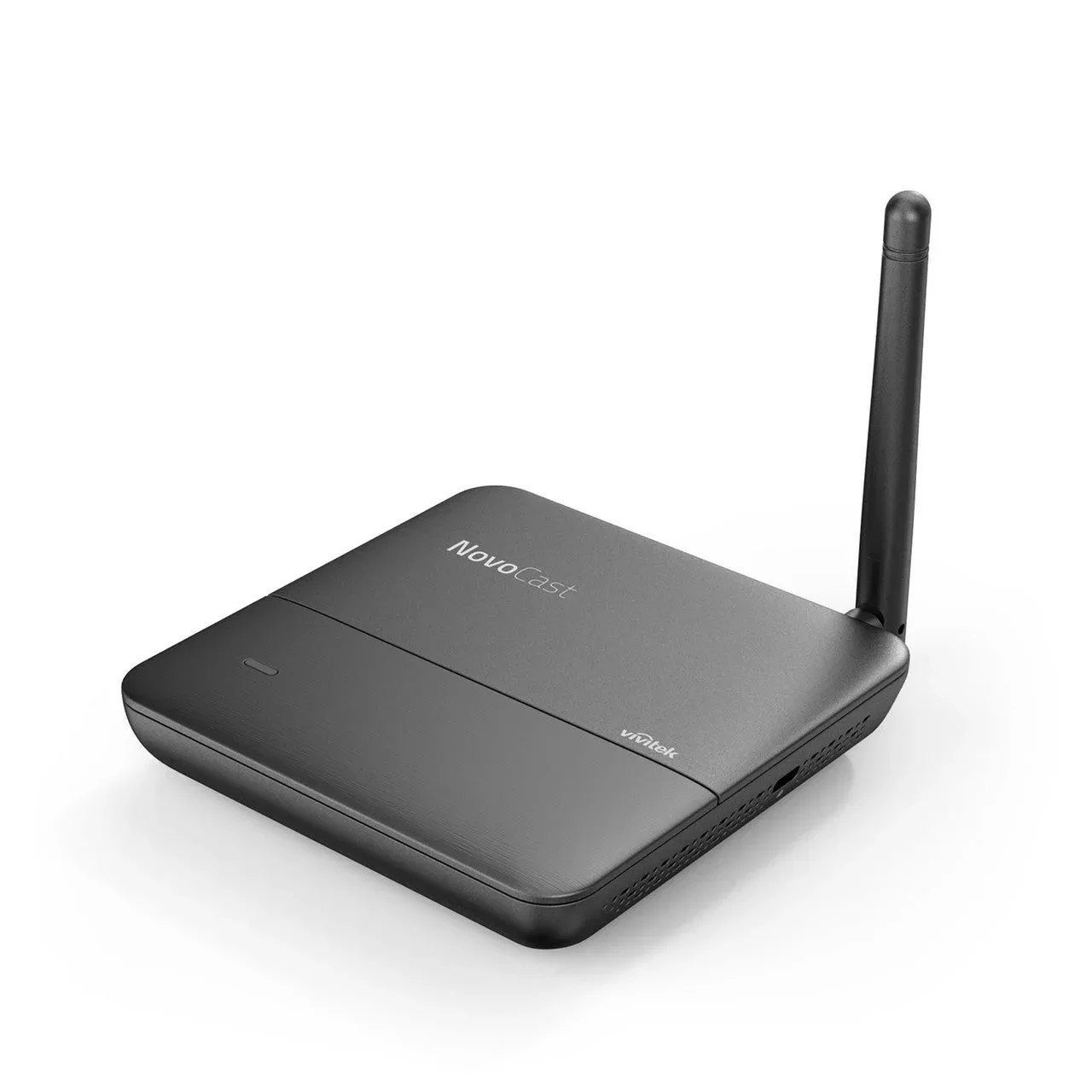
Vivitek NovoCast Wireless Presentation and Collaboration System
To ensurethat collaboration is never impeded by incompatible technologies, NovoCastboasts cross-platform support of Windows, Mac, Android, iOS, and Googledevices. This allows educators and students with practically any device toshare what they are viewing simultaneously across a single display.
AIRPLAY & GOOGLE CAST SUPPORT
Thanks tothe widespread popularity of iOS and Android devices, AirPlay and Google Casthave established themselves as the go-to methods for screen mirroring andcontent streaming. NovoCast fully supports both standards to accommodatevirtually every device brought into classrooms today.
8 PARTICIPANTS & QUAD-VIEW DISPLAY
In additionto being capable of supporting up to eight users per session, NovoCast alsoboasts quad-view screen sharing. Ideal for comparing and contrasting differentcontent, quad-view screen sharing enables educators and student presenters tosimultaneously view four different screen sources side-by-side.
MODERATION & SCREEN PREVIEW
To empowereducators with the tools they need to lead and maintain control over theirlectures, NovoCast features intuitive moderation and screen previewfunctionalities. These tools serve to structure, focus, and streamlinepresentations, resulting in more productive and collaborative classroomdiscussions.
WIRELESS COLLABORATION TOOLS
Beyondscreen mirroring and content streaming, NovoCast also features indispensablecollaboration tools to further enhance lectures, seminars, and presentations.Wireless file-sharing allows for convenient relaying of digital assets whileAirNote enables users to annotate projected screens on their own device.
CENTRALIZED MANAGEMENT
Especiallyuseful for school and district-wide deployments, NovoCast can be centrallyaccessed, updated, and operated via the Remote Manager application.Free-to-download and update for Windows and Mac computers, Remote Managerenables network wide control over NovoCast units connected to the same network.
Key Features
- Cable andclutter-free wireless collaboration for classrooms
- Supportsfullscreen mirroring of iOS, Android, Chromebook, PC, and Mac devices
- Intuitiveoperation and ease of connection
- Moderatorcontrols and screen preview
- Includeswireless collaboration tools (file-sharing, AirNote annotating, etc.)
- Supportcentralized management
- One-timehardware purchase, life-time software usage and updates
TechnicalSpecifications
WiFi
802.11 b/g/n
2.4GHz
Antenna
External1T1R
Display Resolution
Up to WUXGA(1920 x 1200)
Output
HDMI out x 1
Audio out x1
Input
USB Type A x1
MicroSD cardslot x 1
DC Jack x 1
KensingtonLock
Storage
Internal -8GB (eMMC flash)
External-MicroSD card slot (up to 32GB)
Ambient Temperature
Operating:32 deg ~ 104 deg F; 0 deg ~ 40 deg C ;
Storage: -4deg ~ 140 deg F; -20 deg C ~ 60 deg C
Power
Input to ACAdaptor: AC 100-240V, 50/60Hz; Output from AC Adaptor: 5V/2A; Consumption: 10W
Dimension (L x W x H)
3.94″ x3.94″ x 0.79″
100mm x100mm x 20mm
Weight
0.4 lbs /184 g
What is in the box
HDMI cable x1,
Wall MountKit x 1,
PowerAdapter x 1
Antenna x 1
Power cable(USB to DC Jack) x 1
USB toEthernet adapter x 1
Quick StartGuide x 1
Software
Video Quality
FHD (1080P,up to 30 fps)
OS support
Windows 7 /8 / 10 (32 bits and 64 bits), Mac 10.7+,
iOS 7.0 andabove, Android 4.0+, Chromebook 37+
Cross-platform Mirroring
Yes
AirPlay
Yes
Google Cast
Yes
4-to-1 Screen (Quad screen)
Yes
Simultaneous Connections
up to 8
Software Edition
Education
Moderator Preview
Yes
Screen Annotation tool
Yes
File / URL sharing
Yes
AirNote
Yes
Whiteboarding
Yes
Classroom management (attendance, lockstudent tablets, etc.)
Yes
HD Video and YouTube streaming
Yes
Remote Manager
FREE
Software Upgrade
FREE
Firmware Upgrade
FREE
Installation / Use Cases
- Use as a wireless presentation and collaboration system for classrooms, seminars, lectures, and meeting spaces.
- Suitable for cross-platform screen sharing from Windows, Mac, Android, iOS, Chromebook, and Google devices.
- Use AirPlay and Google Cast support for screen mirroring and content streaming.
- Suitable for sessions with up to eight simultaneous participants.
- Use quad-view screen sharing to display four sources side-by-side for comparison and group presentation.
- Use moderation, screen preview, file sharing, AirNote annotation, whiteboarding, and classroom management tools for structured collaboration.
- Suitable for school or district-wide deployments using Remote Manager for centralized access, updates, and operation.
Package Contents
- HDMI Cable x 1
- Wall Mount Kit x 1
- Power Adapter x 1
- Antenna x 1
- Power Cable, USB to DC Jack x 1
- USB to Ethernet Adapter x 1
- Quick Start Guide x 1